Before starting the configuration, please confirm your current browser.
Currently, KAWO Assistant supports installation on Chrome and Edge browsers. Please follow the corresponding steps below based on your browser and network environment.
For Chrome Users with VPN Access
- If you are a Chrome user and have a VPN, please click the link below to add KAWO Assistant to your browser directly:
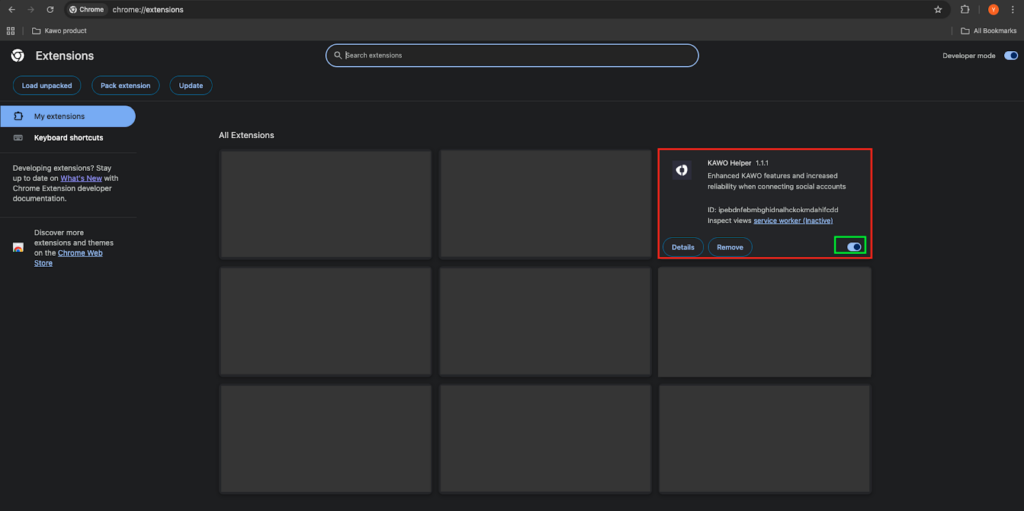
- After successful installation, you can find the installed KAWO Assistant extension at: chrome://extensions/
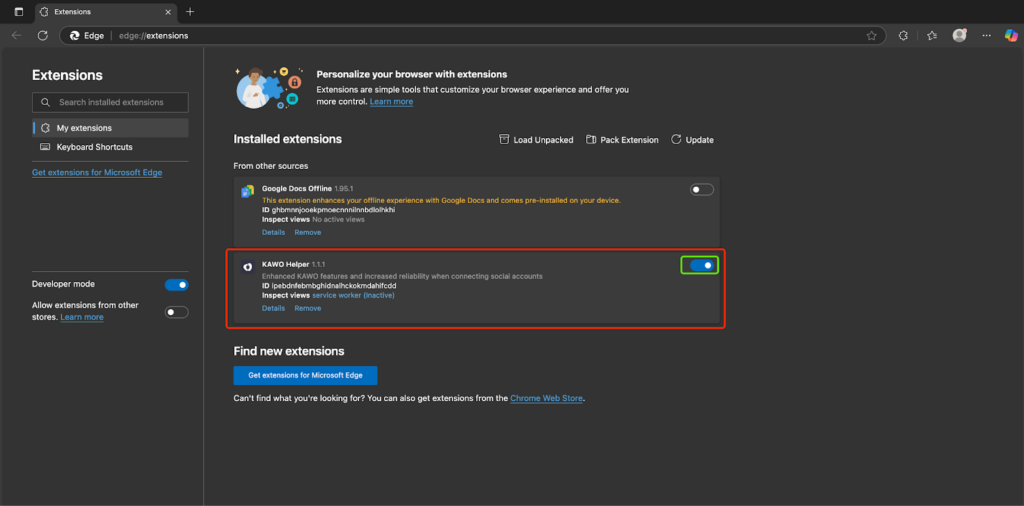
- Please ensure the extension toggle is always enabled whenever possible.
For Edge Users or Users Without VPN
Step 1: Open the Extensions Installation Page
- Click the link corresponding to your browser to open the extensions installation page:
- For Chrome: Click [chrome://extensions/]
- For Edge: Click [edge://extensions/]
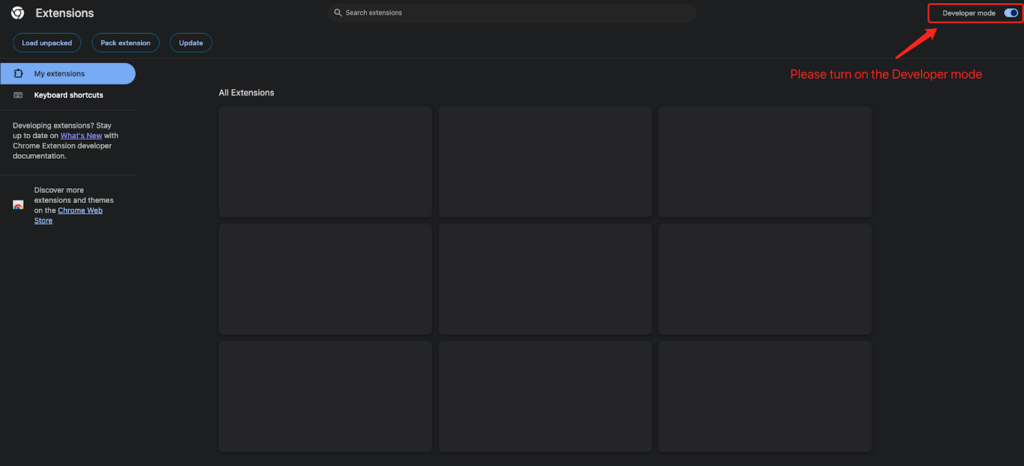
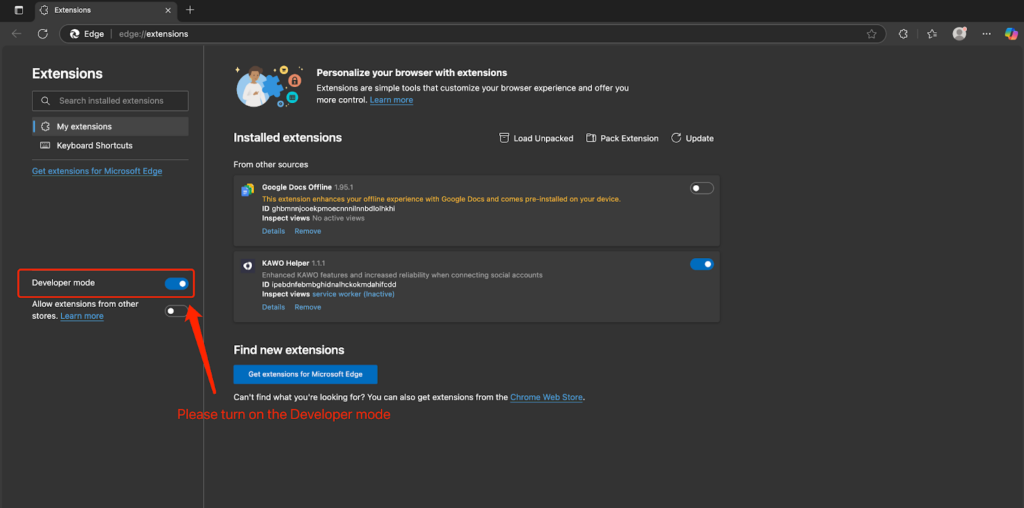
Step 2: Enable Developer Mode
- After opening the extensions installation page, enable Developer mode (for Chrome) or Developer Mode (for Edge).
Step 3: Install the Extension
- Click the button below to download the installation package, then drag and drop the package directly into the extensions installation page to complete the installation:
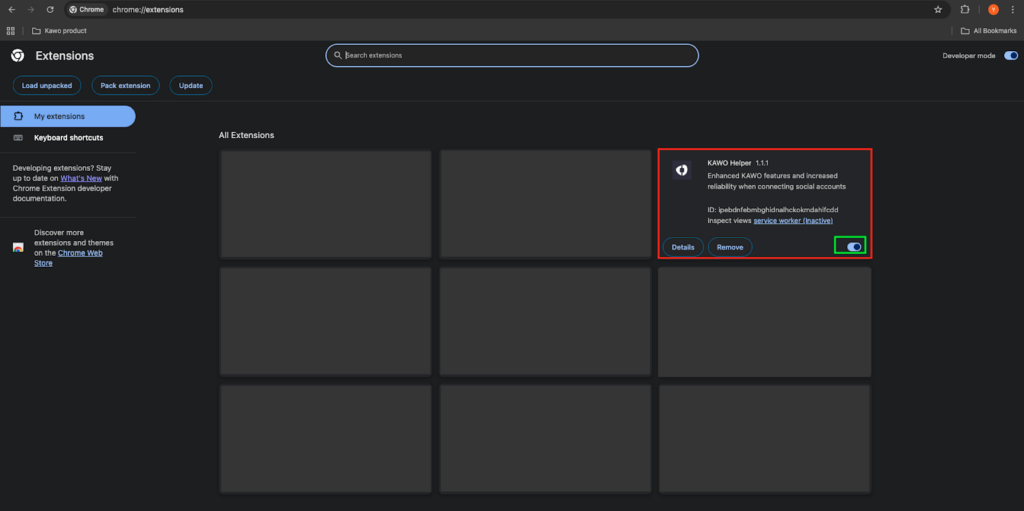
- After successful installation, turn on the extension toggle (please ensure it is always enabled whenever possible).
Congratulations on completing the configuration! You can now start using KAWO.


