Standardize your tag system and build a custom hierarchical tag structure. Unified content management across all monitored platforms, eliminating disorganization.
How to Create Competitor Tags?
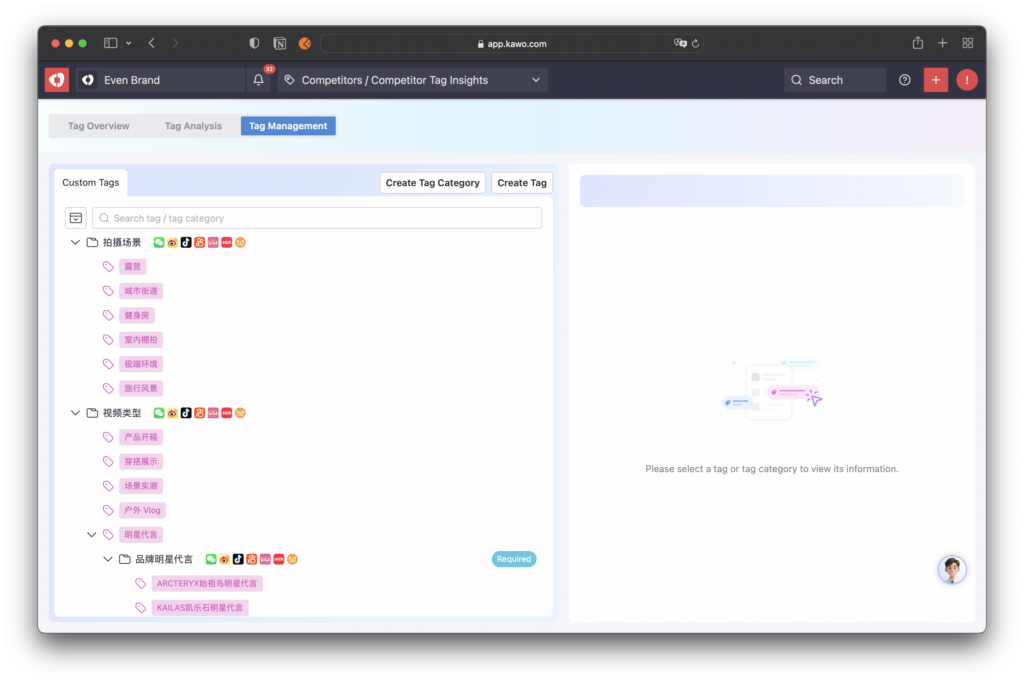
Step 1: Go to the Tag Management Page
Under the Competitor menu, select the secondary menu Competitor Tag Analysis. Open the Competitor Tag Overview, then click the Tag Management button in the top navigation bar to switch to the Competitor Tag Management page.
Step 2: Create a New Tag Category
Click the New Tag Category button and fill in the category details on the right panel.
You may also select an existing tag, then click Add Subcategory at the bottom of the right panel to quickly create a subcategory.
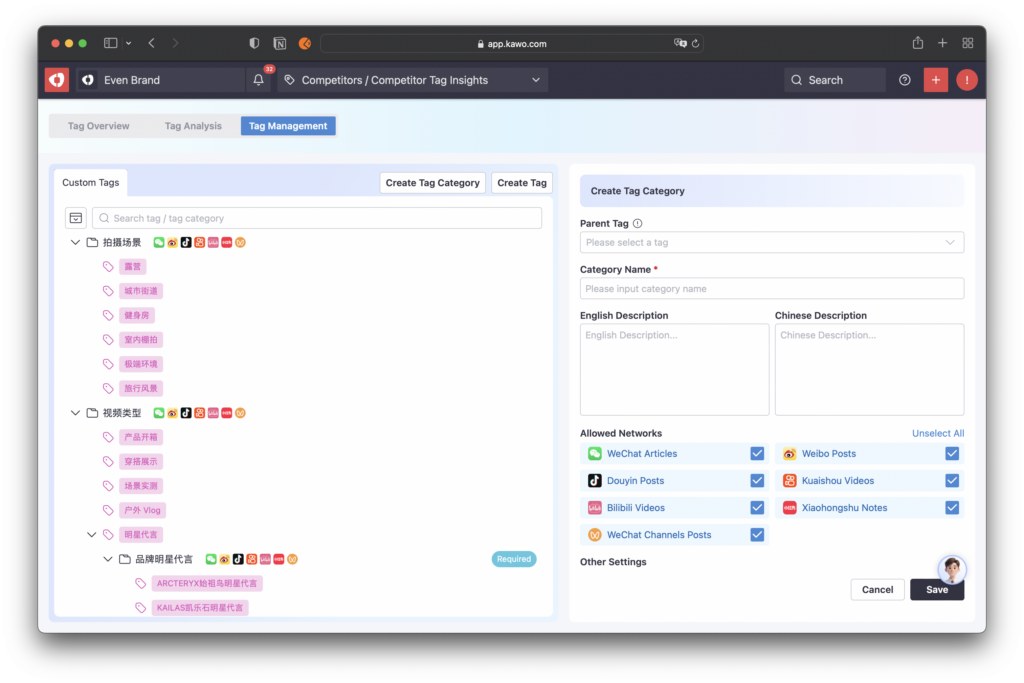
Field Descriptions:
- Parent Tag: The parent tag serves as the upper-level category for the current tag. After selecting an existing tag as the parent, your new category will become its subcategory and appear below it in the left menu.
- Applicable Platform: Once set, tags under this category can only be used on posts from the selected platform.
- Exclusive Tag: When enabled, only one tag from the same category can be selected during tagging; multiple selections are not allowed.
Step 3: Create a New Tag
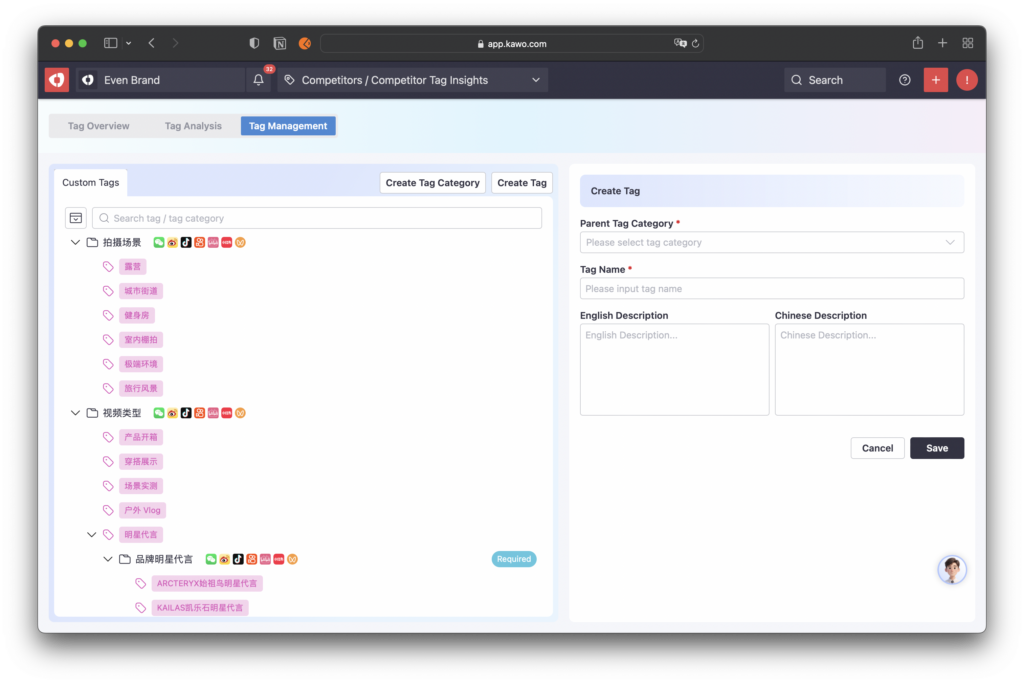
Click the New Tag button and fill in the tag details on the right panel.
ou may also select an existing tag category, then click Add New Tag at the bottom of the right panel to quickly create a tag under that category.
How to Manage Competitor Tags?
View Tag Category or Tag: Click any tag category or tag on the left; its details will be displayed on the right.
Delete Tag Category or Tag: Click the Delete button in the bottom-right corner of the tag or category details.If the category or tag still contains sub-tags, you must delete all sub-tags first.Once deleted, the tag will also be removed from all posts it was applied to.


