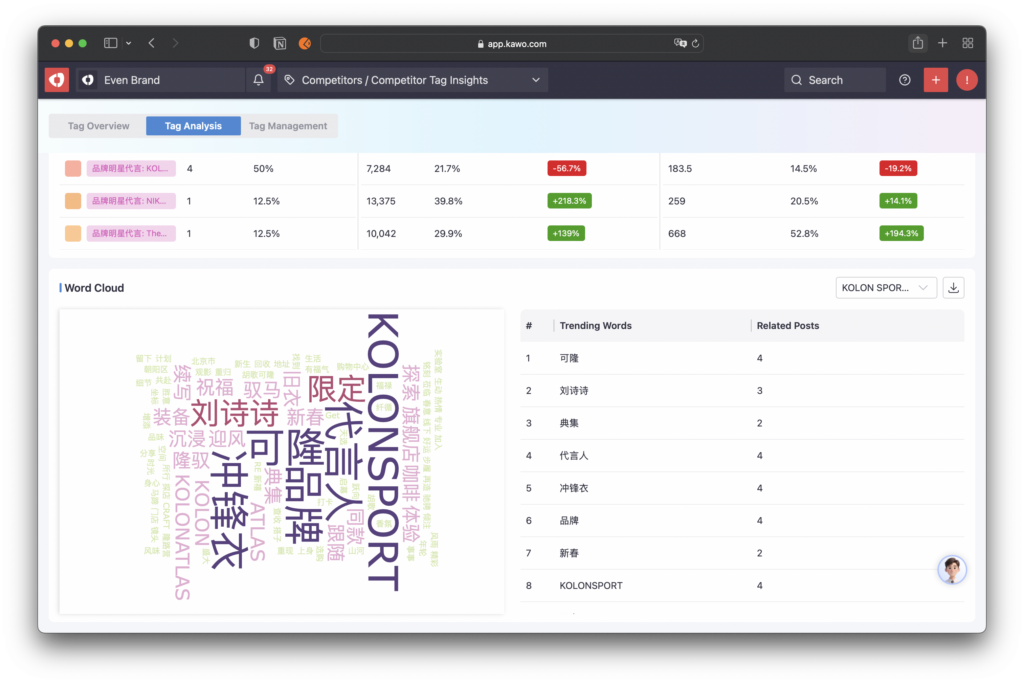
AI-powered Intelligent Comparison & Analysis: Cross-platform tag comparison + AI analysis report to quickly identify the logic behind competitors’ viral content.
Precise Strategy Guidance: Optimize your content strategy based on tag data to boost account engagement and influence.
How to Create a Tag Analysis Report?
Step 1: Go to the Competitor Tag Analysis Page
Under the Competitor menu, select the submenu Competitor Tag Analysis to open the Competitor Tag Overview page.Click the Tag Analysis button in the top navigation bar to switch to the Competitor Tag Analysis Report page.
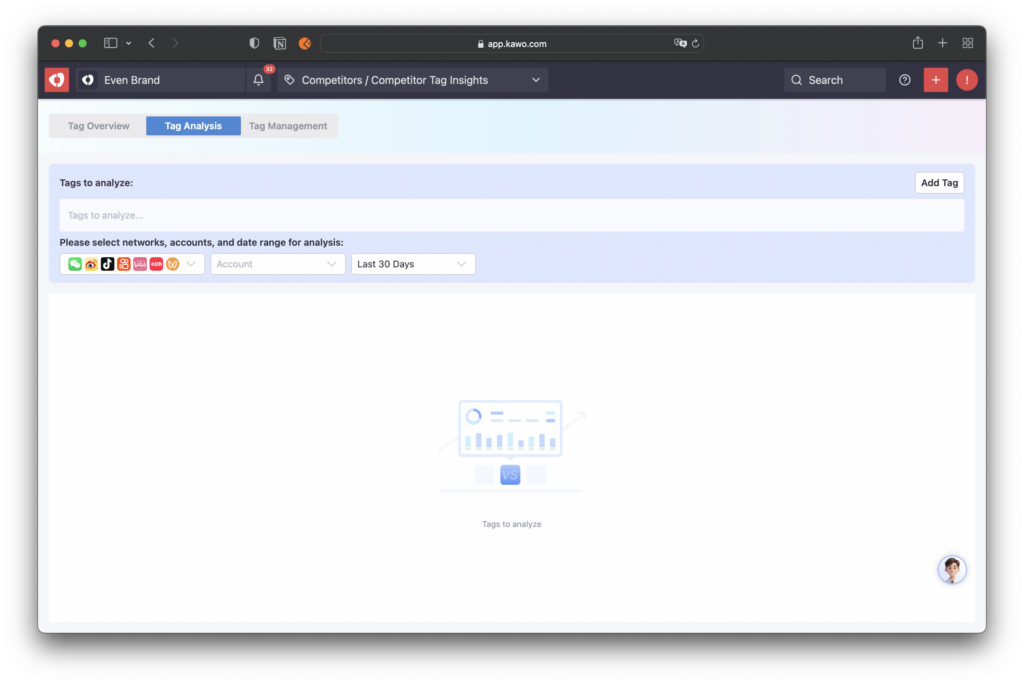
Step 2: Add Tags to Analyze
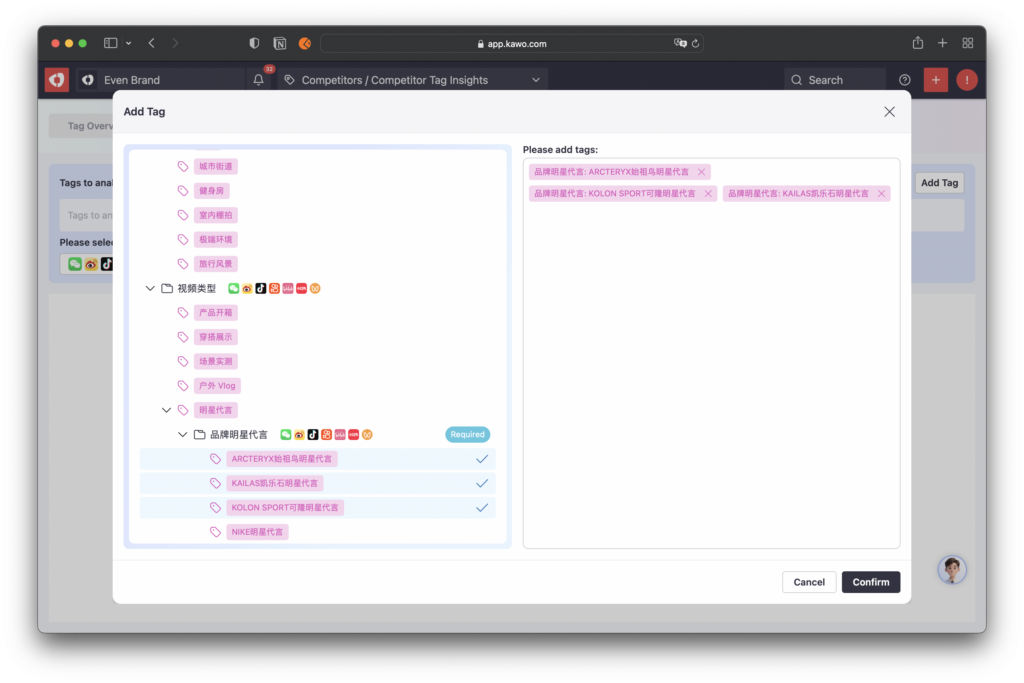
Click the Add Tags button on the right to open the tag selection window, then choose the tags you want to analyze.
You can analyze a single tag or select multiple tags for comparative analysis.
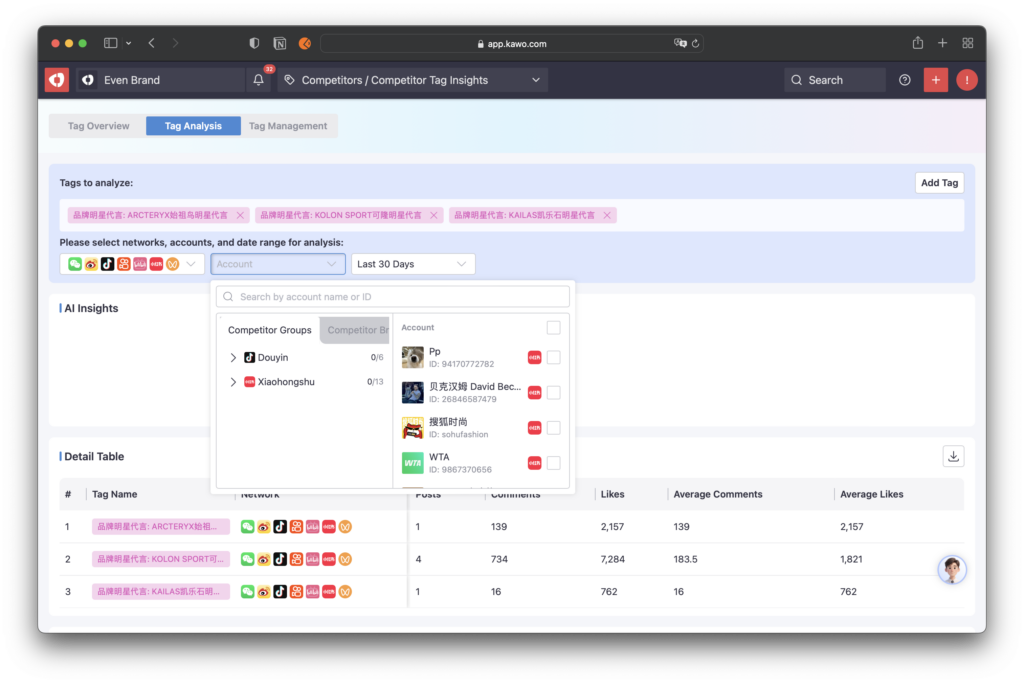
Step 3: Set Analysis Conditions
Select Platform: Supports analysis for a single platform or cross-platform comparison across multiple platforms.When multiple platforms are selected, the report will display common data metrics across all chosen platforms.
Select Accounts: You can select the scope of competitor accounts via Competitor Groups,or quickly select all accounts under a pre-configured Competitor Brand for unified analysis.
Select Time: Choose the time range for your analysis.
Step 4: Auto-generated Analysis Report
AI Overview: The system uses AI to automatically analyze post content and data under the selected tags,providing insights for a single tag or comparative results across multiple tags.
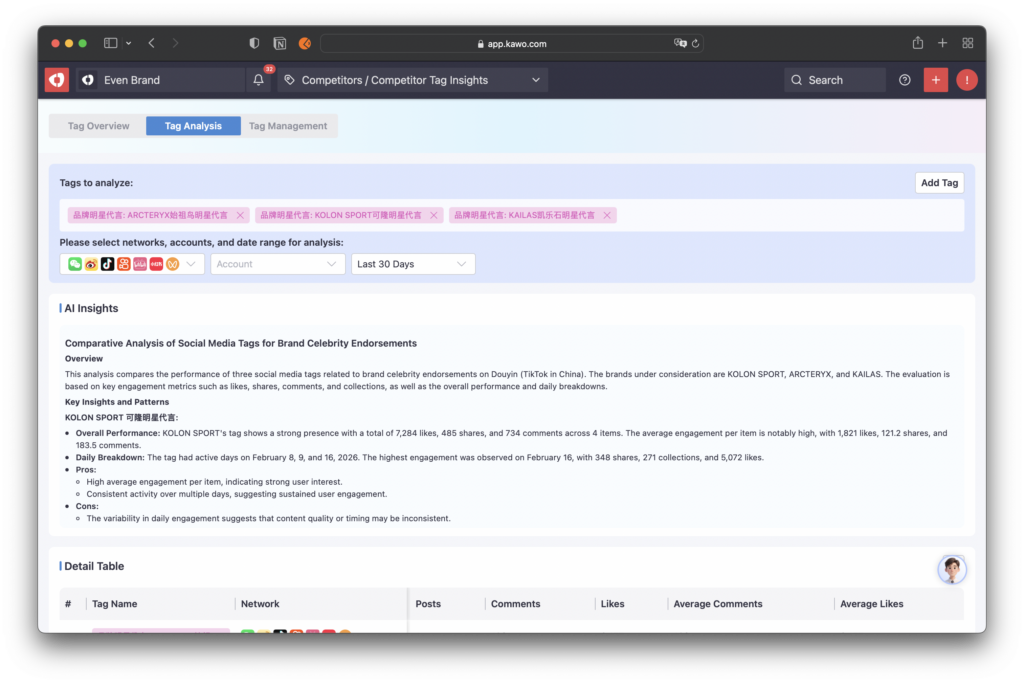
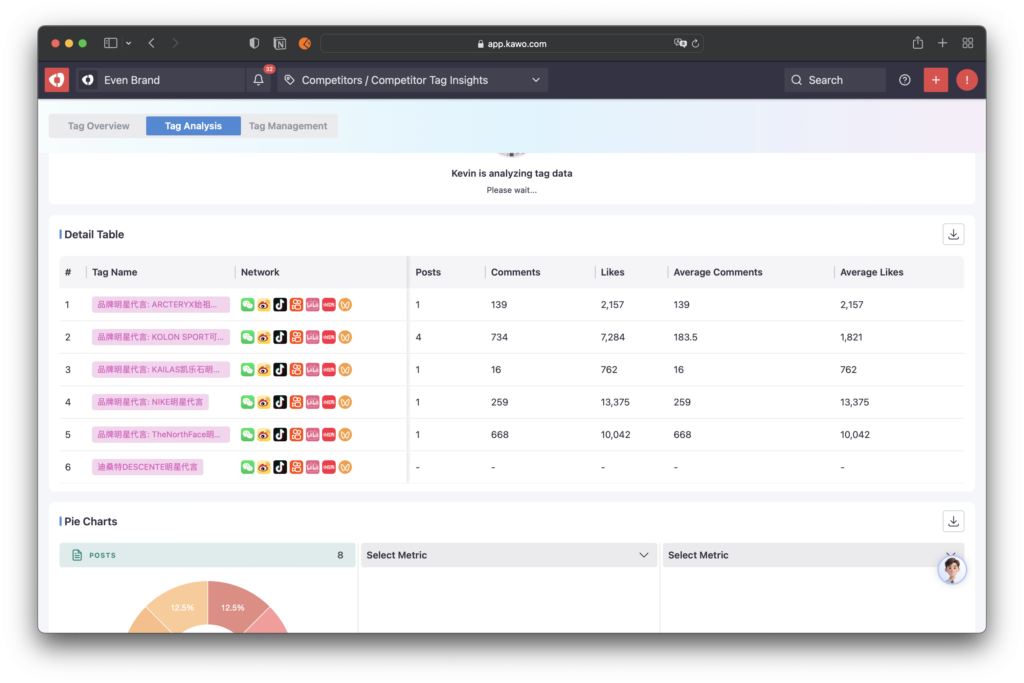
Data Details: Quickly view overall tag performance, including the number of related posts, engagement data, and average values of each engagement metric for easy data review and comparison.When multiple platforms are selected, only common metrics across platforms will be shown.
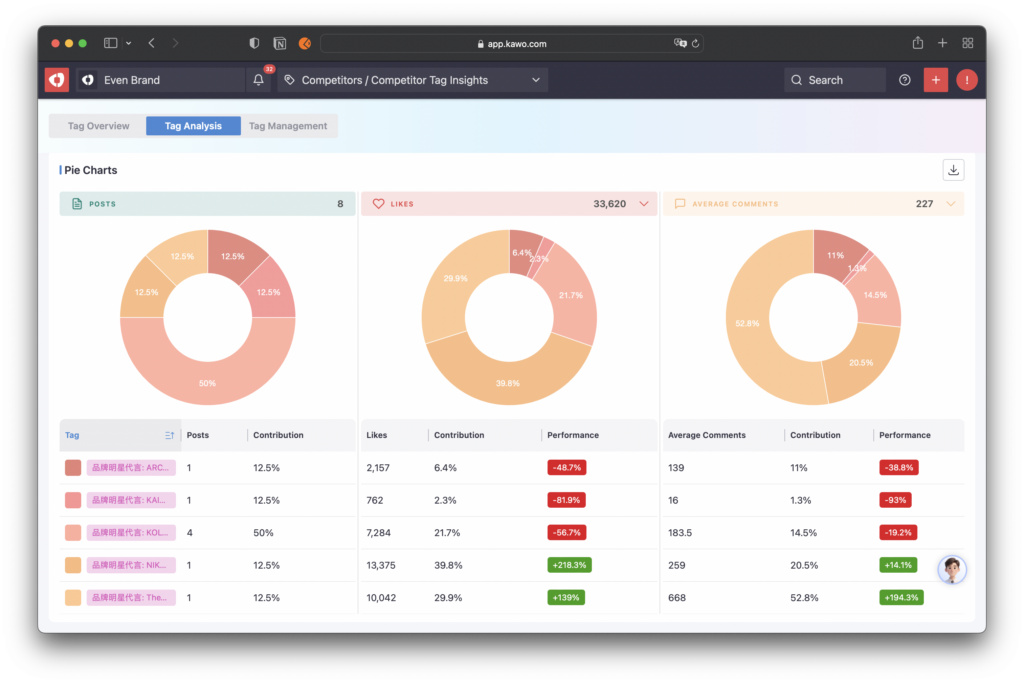
Pie Chart Analysis: Select any metric or average metric for a platform,and the system will generate a pie chart to visually display the proportion and performance of each tag.
Content Word Cloud: The system automatically generates a word cloud of high-frequency words for each tag.You can intuitively view the core topics and frequency of posts under the tag, and efficiently identify trending topics from competitors.