AI Intelligent Comparative Analysis: Cross-platform tag comparison plus AI analysis report, quickly identify the logic behind viral content.
Precise Strategy Guidance: Optimize your content strategy based on tag data to boost account engagement rate and influence.
How to Create a Tag Analysis Report?
Step One: Enter the Tag Analysis page
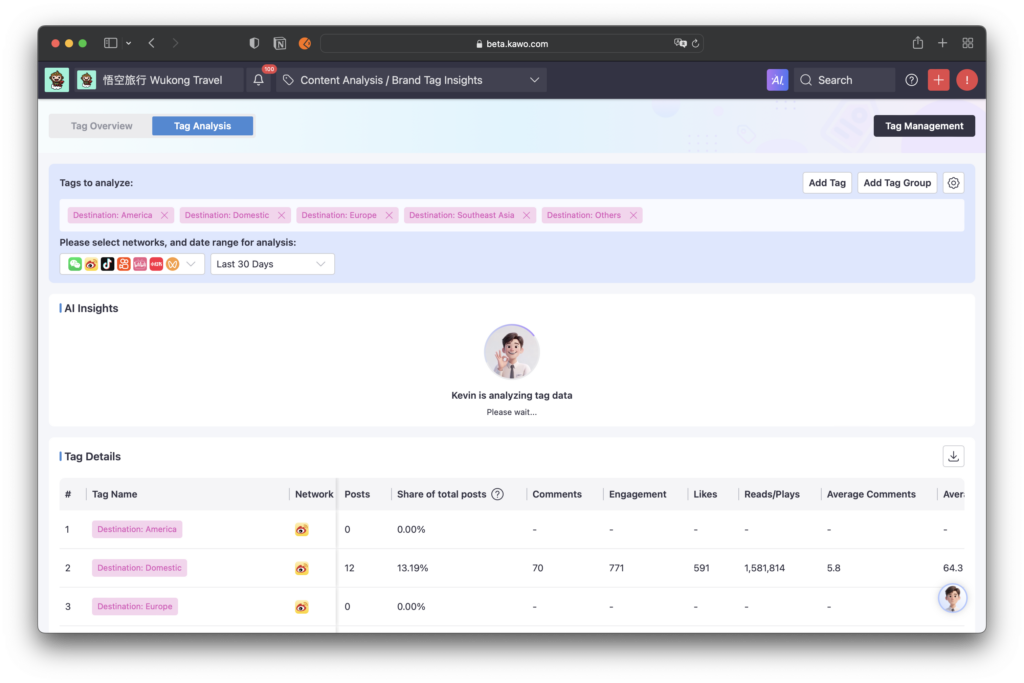
Step Two: Add the tags or tag combinations to be analyzed
Add Tags: You can add a single tag to analyze its performance, or add multiple tags for comparative analysis.
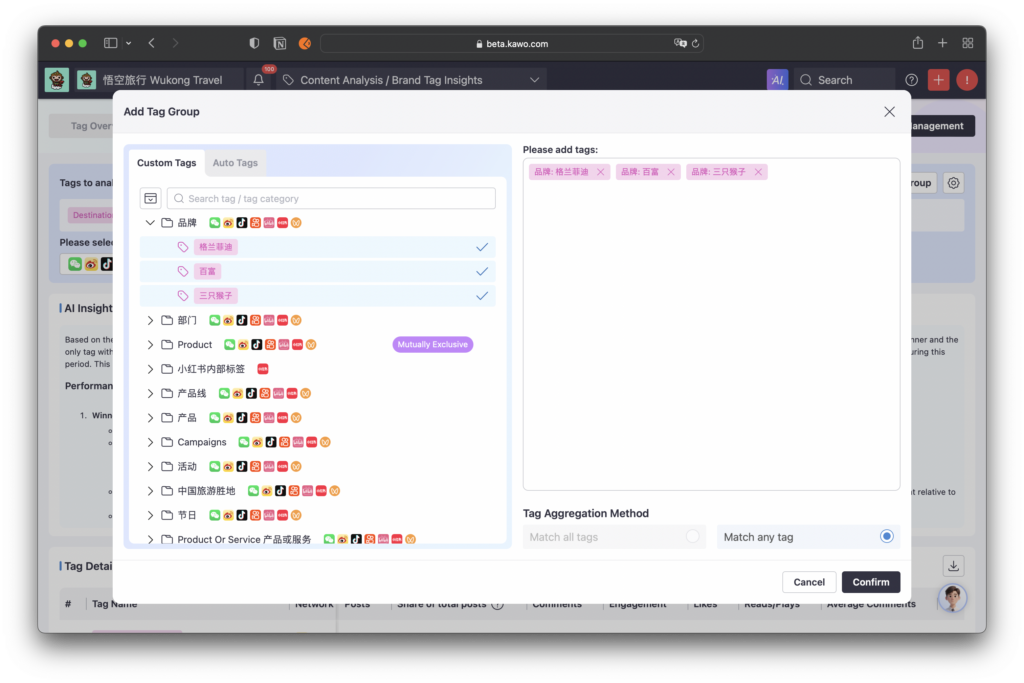
Add Tag Combinations: After adding multiple tags, two combination matching modes are supported: match any tag and match all tags.
- Select Match Any Tag: A post will be matched if it contains any one of the selected tags.
- Select Match All Tags: A post will only be matched if it contains all of the selected tags at the same time.
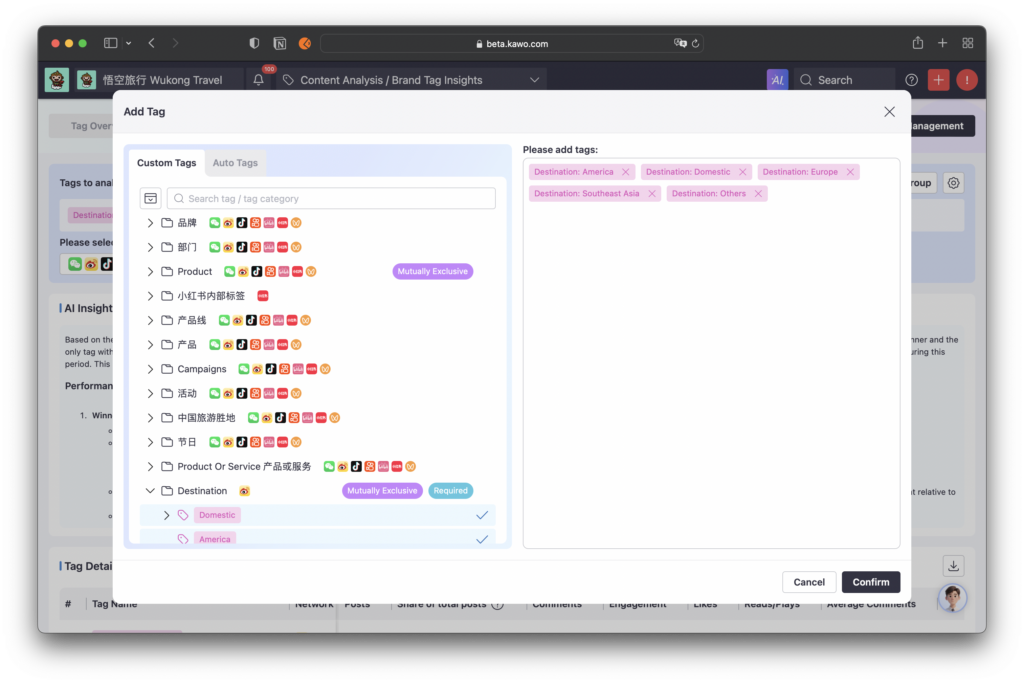
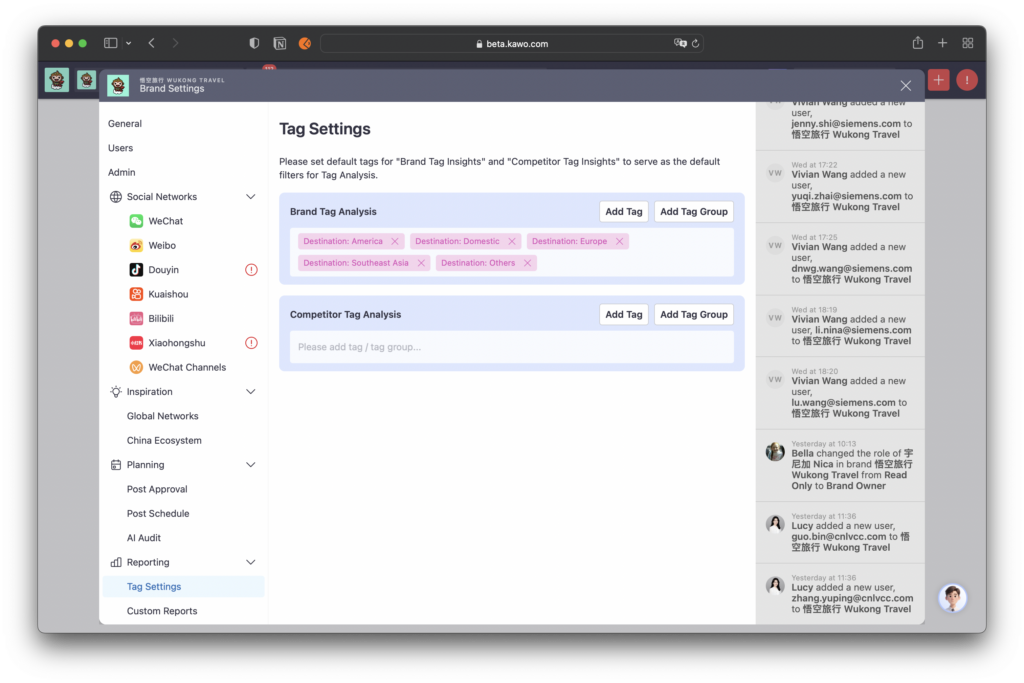
Step Three: Set default tags. The analysis data of the default tags will be automatically displayed every time you enter the Tag Analysis page.
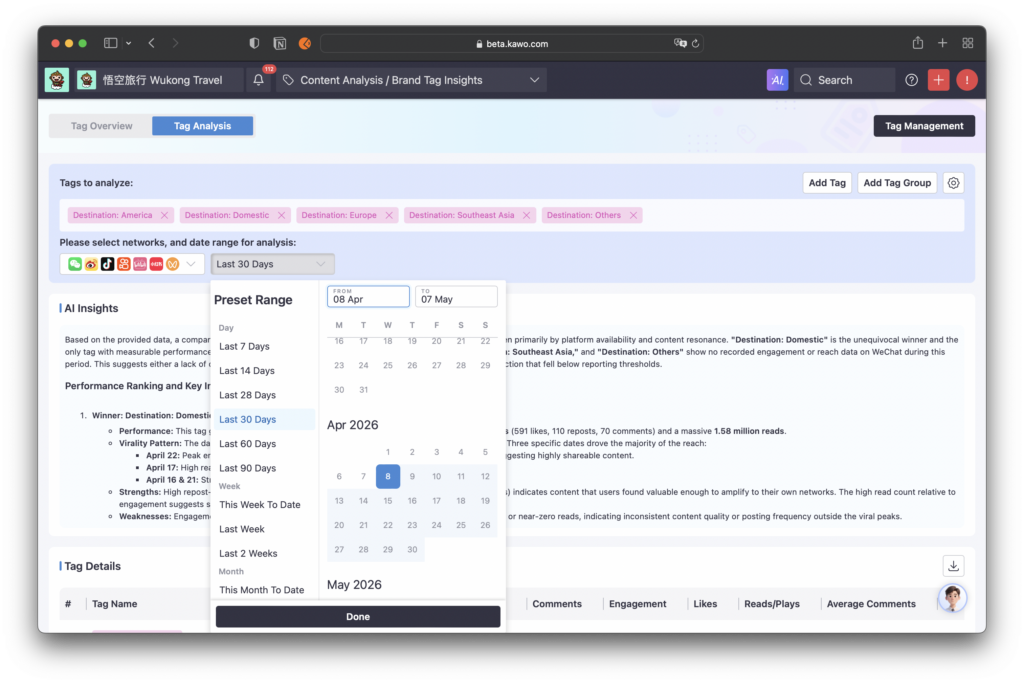
Step Four: Add analysis conditions
Select Platform: You can choose a single platform for analysis, or select multiple platforms simultaneously for cross-platform comparative analysis. When multiple platforms are selected, the report will display the performance of common data indicators across these platforms.
Select Time:Select the publishing time range of posts you need to analyze
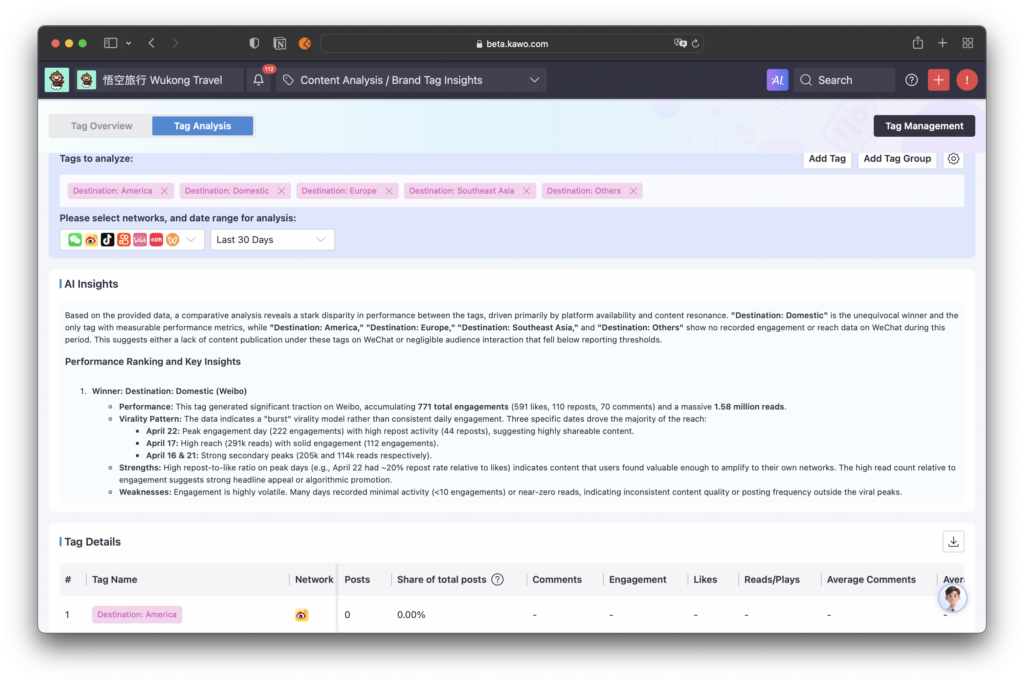
Step Four: Automatically generate the analysis report
AI Overview: Based on the content and data of posts under the tags, the system conducts automatic AI analysis to present data interpretation for a single tag or comparative analysis of multiple tags.
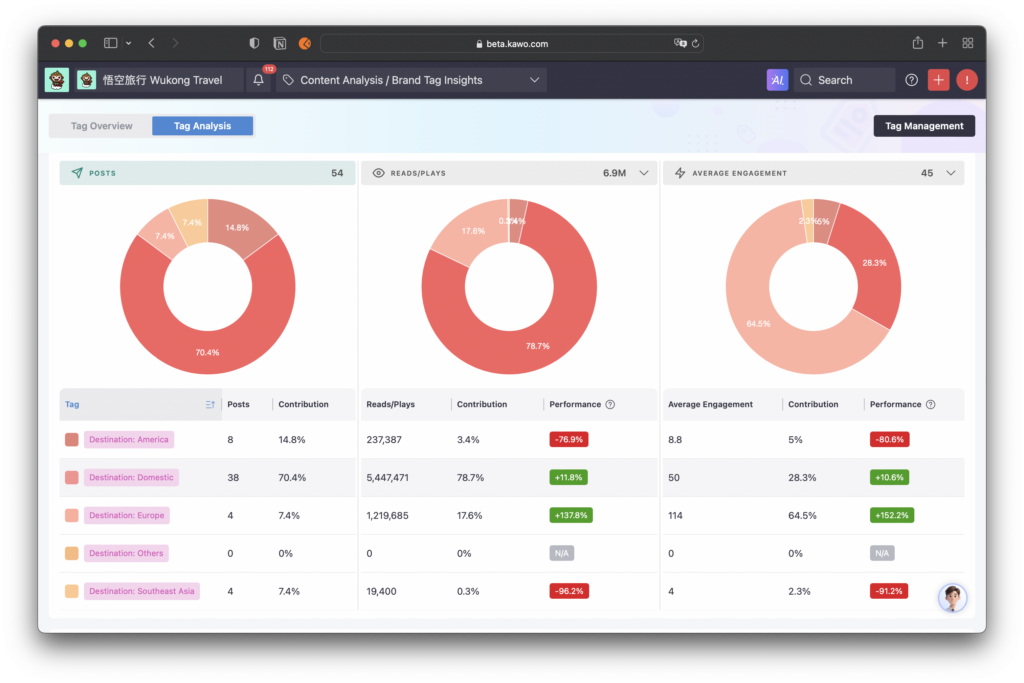
Tag Details: Quickly view the overall data performance of tags, including the number of associated posts, engagement data, and average values of each engagement indicator, enabling quick data review and comparison. When multiple platforms are selected, only data indicators common to all platforms will be displayed.
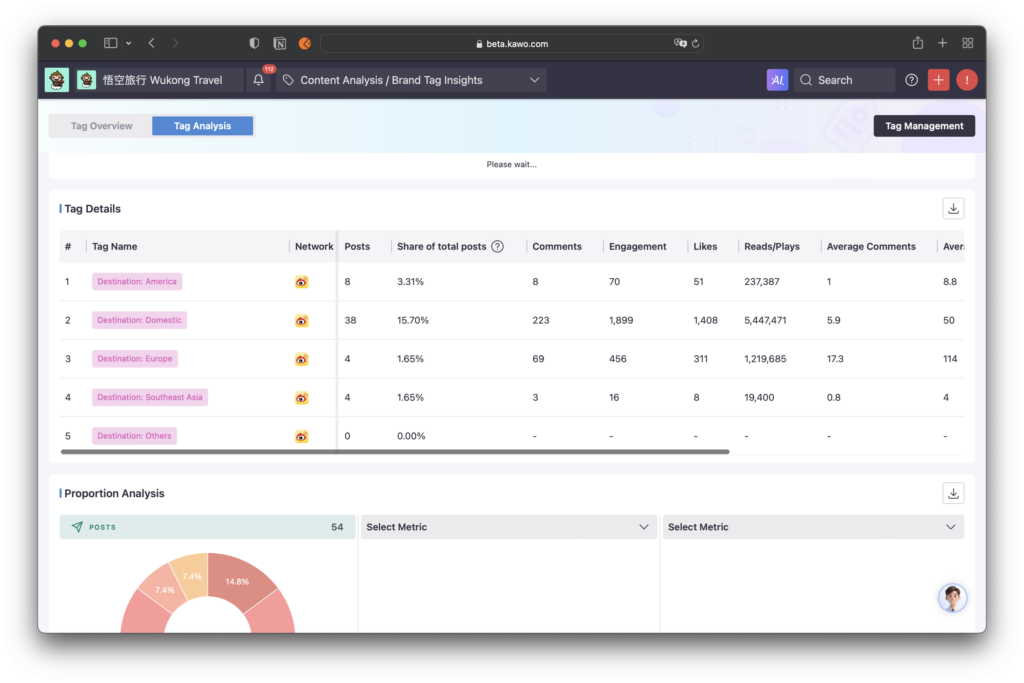
Proportion Analysis: Select any indicator or average indicator under the platform, and the system will automatically generate a pie chart distribution of corresponding data, intuitively showing the proportion and data performance of each tag.
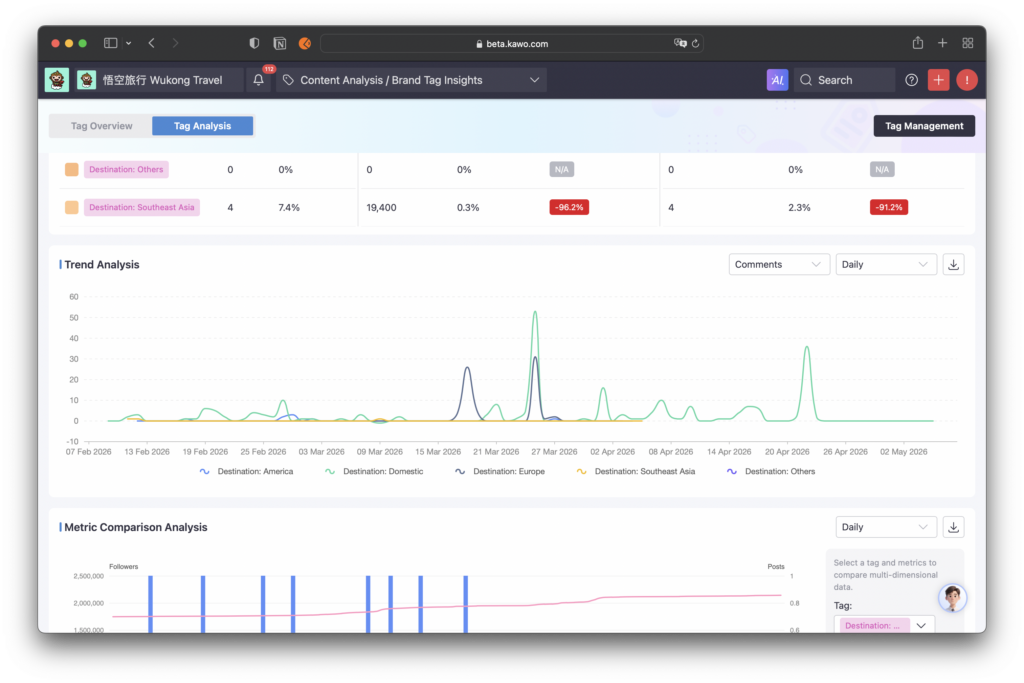
Trend Analysis: Conduct comparative trend analysis on tags under selected indicators.
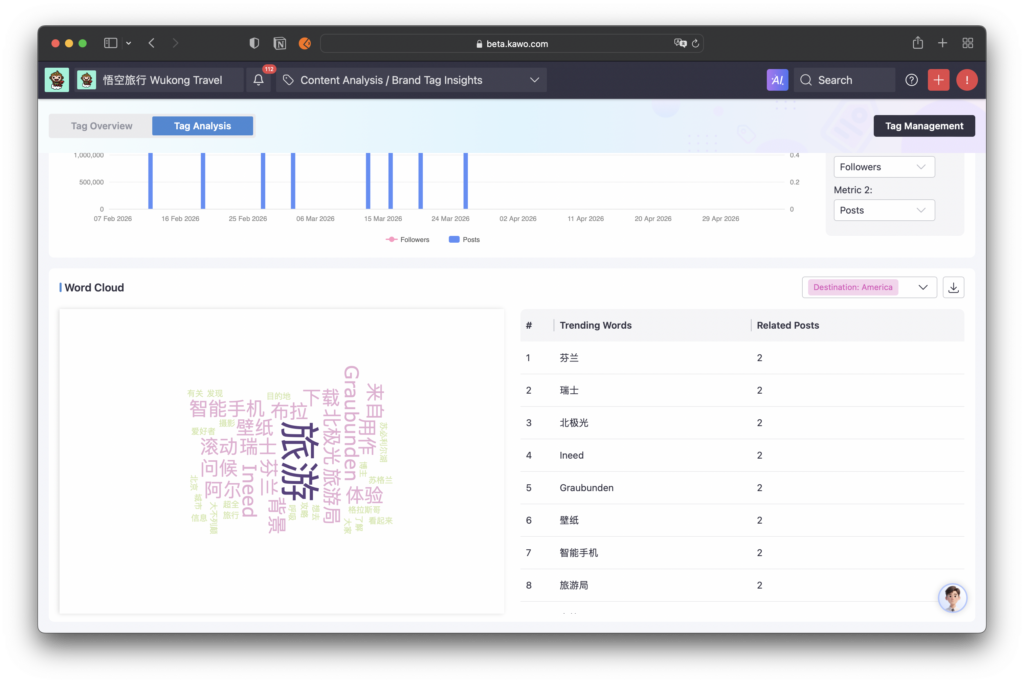
Indicator Comparative Analysis: Within the selected tag range, you can choose any two indicators for trend comparative analysis.
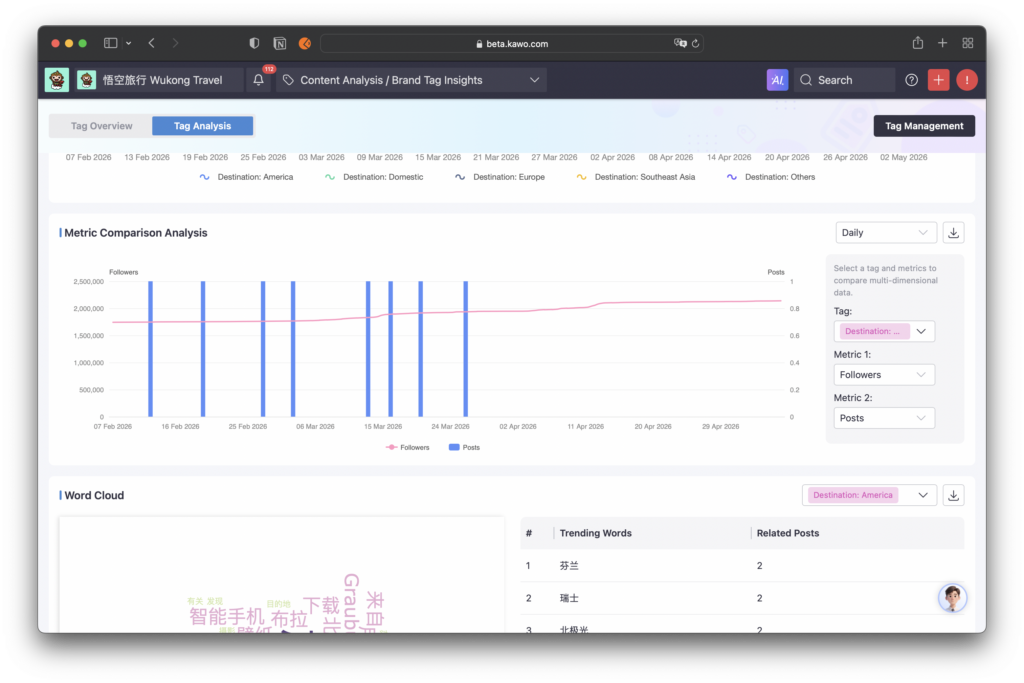
Content Word Cloud: The system automatically generates a high-frequency word cloud for each tag. You can intuitively view the core content themes and occurrence frequency of posts under the tag, efficiently mining popular topics of competitors.